


Gibson: Learn to Play Guitar
4.4378.00 Reviews
App Specs
- Version
- 6.5.6
- Updated On
- License
- Free
- Downloads
- 100,000+
- Developer
- Zoundio AB
- Categories
- Education
- Platform
- Android
Screenshots
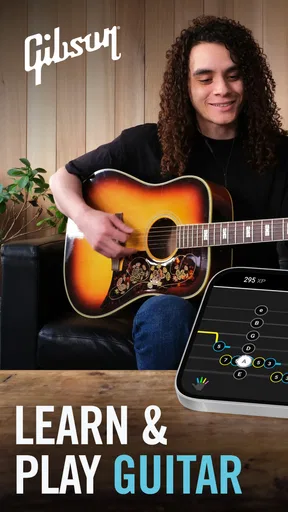
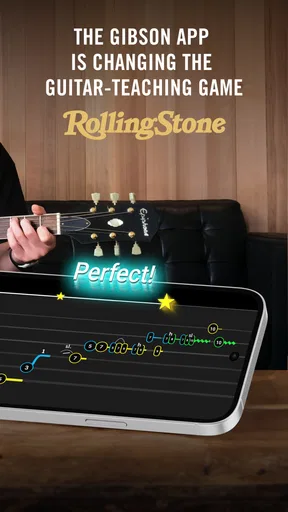
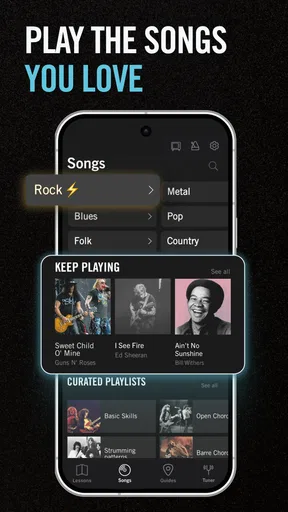
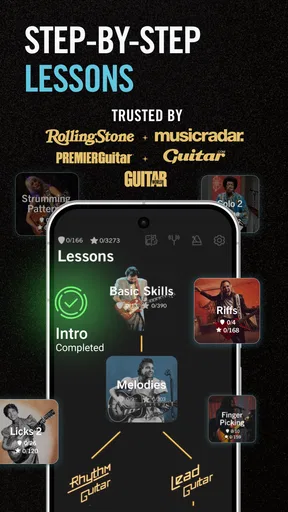

 Analysis by AppCompare
I approached Gibson: Learn to Play Guitar as a way to make guitar practice easier to fit into ordinary life, rather than as a shortcut to becoming a musician overnight. It is an education app from Zoundio AB, built around learning guitar, and its mix of lessons and practical playing tools gives beginners a clear place to start. My main impression is that it works best when I treat it as a guide for focused practice, not as a substitute for patience, a properly set-up instrument, or a teacher who can watch my hands.
Getting Started: A Smooth Tune-Up
The first thing that struck me about Gibson: Learn to Play Guitar was how easy it was to get started. The app's interface is sleek and intuitive, making navigation a breeze. I didn't feel overwhelmed as a beginner, which is crucial when you're just starting out with something new. The app offers a variety of lessons tailored to different skill levels, so whether you're a total newbie or someone looking to polish existing skills, there's something here for you.
Once you sign up, you're greeted with a series of introductory lessons. These are super helpful for understanding the basics of guitar playing. The lessons are structured in a way that they build on each other, ensuring you don’t miss a beat as you progress. And let me tell you, there’s something incredibly satisfying about nailing your first chord!
Features that Strike a Chord
One of the standout features of this app is its interactive learning experience. The app uses your device's microphone to listen to you play and provides real-time feedback. This is like having a personal guitar tutor in your pocket! The real-time feedback ensures that you’re playing correctly, which helps in avoiding the formation of bad habits early on.
Another feature worth noting is the song library. Oh boy, is it extensive! From classic rock anthems to contemporary hits, there's a wide array of songs you can learn. The app breaks down each song into manageable sections, so you're not overwhelmed trying to play an entire track at once. Plus, you get to play along with backing tracks, which is a blast and makes practice feel less like a chore.
Rocking the Practice Sessions
Practice sessions in the app are designed to be effective and engaging. The app includes a variety of exercises that target different aspects of playing, like timing, finger placement, and strumming techniques. What's really cool is the progress tracking feature. You can see how much you’ve improved over time, which is a fantastic motivator to keep picking up the guitar and practicing daily.
The app also integrates video lessons featuring professional guitarists. Watching these pros play and explain techniques was incredibly inspiring. It’s like having a mini-concert right on your screen, and you can replay these videos as many times as you need to grasp the concepts.
Worth Reading Before You Choose

Flipboard Shows What News Apps Must Do Beyond the Feed

Switching to Android Auto Means Rethinking Your Driving Routine

Google Calendar Makes a Crowded Week Easier to Manage

Ludo King Makes the Most of the Minutes Between Plans

Baby Panda World Brings Quick Play to Modern Phones, but Its Game Library Feels Busy

ESPN’s Live Game View Makes Following Close Games Easier
Jam-Packed with Extras
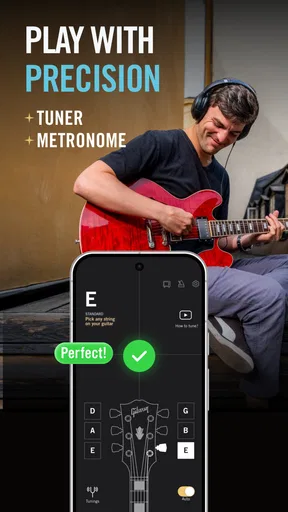
Beyond just learning and practicing, Gibson: Learn to Play Guitar offers a plethora of extras that enhance the overall learning experience. The app includes a tuner and a metronome, both essential tools for any guitarist. The tuner is precise and easy to use, ensuring your guitar always sounds its best. The metronome helps keep your timing on point, which is crucial when you're learning to play songs.
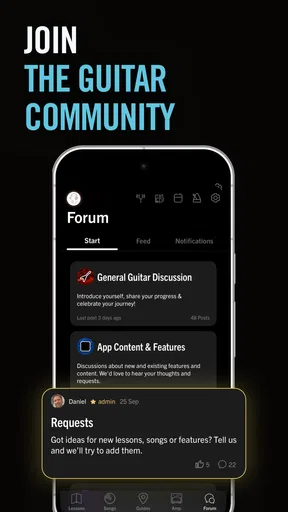
One of the delightful surprises was the community feature. You can connect with other learners, share your progress, and even participate in challenges. This sense of community makes the learning process more enjoyable, as you’re not just practicing in isolation but engaging with fellow guitar enthusiasts.
Keeping Practice Useful on Busy Days
The app is most useful when I have a specific, small goal rather than a vague plan to “get better.” On a busy evening, I can tune up, work through one lesson or a short song section, and finish by slowing down with the metronome. That order gives the session a beginning and an end, and it helps me avoid spending all my available time browsing for something to play.
A practical tip is to separate learning a movement from trying to play it at full speed. I would first focus on the chord shape or picking pattern, then use the app’s feedback and timing tools to check the result. If the microphone does not recognize a note reliably, I would not assume the instrument is wrong immediately: room noise, fret buzz, string contact, and how close the phone is can all affect what it hears. Quiet surroundings and a steady phone position make feedback more useful.
The song sections are also helpful for working around a common beginner frustration: being able to manage a chord in isolation but losing it when changing to the next one. Rather than repeatedly restarting a whole track, I would concentrate on the transition between two shapes, then return to the section once the move feels less awkward. That kind of short, deliberate repetition is more productive than treating every missed note as a reason to start over.
Speed, Feedback, and the Limits of a Phone
In terms of speed, the most important part is not how quickly the app opens but whether the lesson lets me get to playing without a long detour. Its lesson-led structure and built-in tools are suited to moving from tuning into practice in one place. I would still expect the quality of microphone feedback to depend on the phone, the room, and the guitar’s sound. It can be a useful check, but I would not treat a single recognition result as a final verdict on my technique.
There are moments when a learning app can feel demanding: trying to follow a video, watch the screen, change finger positions, and keep time at once is a lot for a new player. I find it better to pause between attempts and decide what I am listening for, rather than staring at the display while strumming. If a passage keeps falling apart, reducing the goal to one clean chord change is a sensible reset. This is a practice strategy, not a promise that the app will automatically correct every hand-position problem.
Reliability matters most when I am in the middle of a short session. The tuner, lessons, song material, and practice tools bring several parts of learning together, which means I do not need to switch between separate apps as often. But a phone is still a small screen beside a guitar: keeping it stable and within view makes a difference, and repeated handling can interrupt playing. I would set it up before picking up the instrument instead of trying to reposition it between every exercise.
Who Will Get the Most from It
I would recommend this app to a beginner who wants guided lessons and a practical routine, especially someone who benefits from having a song or exercise to work toward. It can also suit a returning player who remembers basic chords but wants a structured way to refresh timing and technique. The ability to combine lessons with a tuner and metronome is convenient for a learner who would rather not assemble a collection of separate tools before starting.
It is less compelling for someone who already has a clear practice plan and mainly wants an advanced theory course, detailed notation editing, or close correction from a live instructor. A human teacher can notice posture, tension, and finger movement from several angles; a phone microphone cannot replace that kind of observation. Likewise, if I only want a free-standing tuner, a dedicated tuner may be simpler than opening a broader learning app. The best choice depends on whether I want instruction and practice in one place or just one specific utility.
Compared with the usual alternatives, this sits between a video-only lesson library and a one-purpose guitar tool. Videos can be great for seeing a hand position, but watching alone does not necessarily make me play along. A tuner or metronome app is quick for a single task, yet it does not provide the same lesson context. Gibson’s appeal is that it combines those parts into a learning flow; the trade-off is that learners who prefer to choose every resource themselves may find a dedicated course, teacher, or collection of specialist tools more flexible.
Cost, Compatibility, and Practical Expectations
The app is free to install, while in-app purchases range from $19.99 to $159.99 per item, so I would explore the available learning experience before deciding whether to pay for anything. Those purchases make it worth thinking about what I actually need: if I am still testing whether guitar practice will stick, there is little reason to commit before establishing a routine. The app has a Teen content rating, and its current version is 5.10.0; it requires Android 8.0 or later.
It has a 4.6 average from around 2.9 thousand ratings, with over 100 thousand installs. Those figures suggest that it has found an audience, but they do not tell me whether its teaching style will suit my learning habits. I would judge that by whether I can follow the lesson sequence, hear the feedback clearly, and return to practice without friction. The release date was November 17, 2020, so it is not a brand-new app, while the current version indicates that it has continued to receive updates.
On an older or less capable phone, I would keep expectations practical: guitar lessons do not demand the same kind of performance as a demanding game, but video playback and audio recognition still rely on a device working smoothly. If the screen feels cramped, a stand can make lessons easier to follow while keeping both hands free. For anyone unsure about compatibility, checking the operating-system requirement before installing is the simplest first step.
Final Thoughts: Strumming to Success
Overall, my experience with Gibson: Learn to Play Guitar has been nothing short of fantastic. The app is well-designed, user-friendly, and packed with features that cater to guitarists of all levels. Whether you’re just starting your musical journey or looking to enhance your skills, this app is a solid choice.
Sure, learning to play the guitar takes time and effort, but with the right tools and guidance, it’s an incredibly rewarding experience. So, if you’ve been on the fence about picking up the guitar, give this app a shot. Trust me, your inner rock star will thank you for it!
My performance verdict is positive, with a clear qualification: the app seems most valuable as a steady practice companion, not a magic fix for inconsistent playing. Its combination of structured learning, song work, and basic guitar utilities can help me use a spare stretch of time well, and the short-section approach makes it easier to return after a missed day. I would keep sessions modest, make sure the phone can hear the guitar, and use the tools to support careful listening rather than replace it.
If you want a guided starting point and enjoy learning through songs, this is a reasonable app to try. If you need hands-on correction, advanced study, or a single specialist tool, another option may serve you better. For me, the strongest reason to keep it installed is that it brings the next practice step within reach, while still leaving the actual progress where it belongs: in regular time with the guitar.
Pros
- Comprehensive lessons for all skill levels.
- Interactive feedback to correct mistakes.
- Wide range of songs to practice with.
- User-friendly interface for easy navigation.
- Customizable practice schedules.
Cons
- Requires a stable internet connection.
- Limited free content available.
- Some features locked behind paywall.
- Occasional app crashes reported.
- Ads can be intrusive for free users.
FAQs for Gibson: Learn to Play Guitar
What features does Gibson: Learn to Play Guitar offer for beginners?
Gibson: Learn to Play Guitar provides a comprehensive suite of tools for beginners, including step-by-step video lessons, interactive exercises, and a chord library. The app also features real-time feedback to help improve your playing technique and a practice mode to track your progress over time.
Is Gibson: Learn to Play Guitar suitable for advanced guitar players?
Yes, the app caters to all skill levels. Advanced players can benefit from its extensive library of songs, advanced techniques, and improvisation exercises. It also offers genre-specific courses, ensuring that even seasoned guitarists can find valuable learning resources and challenges.
Does the app require any special equipment to use?
Gibson: Learn to Play Guitar is designed to be user-friendly and doesn’t require any special equipment beyond your guitar. However, for the best experience, using a guitar with a built-in pickup or an external microphone can enhance the app's real-time feedback feature.
Are there any subscription fees for using the app?
Gibson: Learn to Play Guitar offers a free version with limited features, but for full access, a subscription is required. There are several subscription plans available, including monthly and annual options, which unlock all lessons, songs, and additional features.
Can I use the app offline?
While some features of Gibson: Learn to Play Guitar can be accessed offline, such as downloaded lessons and exercises, an internet connection is required for real-time feedback and accessing new content. It’s recommended to download your lessons in advance if you plan to practice without internet access.


